Cursor AI Review 2026: Is It Worth Switching From VS Code?
Cursor AI review 2026 covering AI agents, coding, pricing, MCP, cloud agents, VS Code migration, pros, cons, and whether developers should switch.
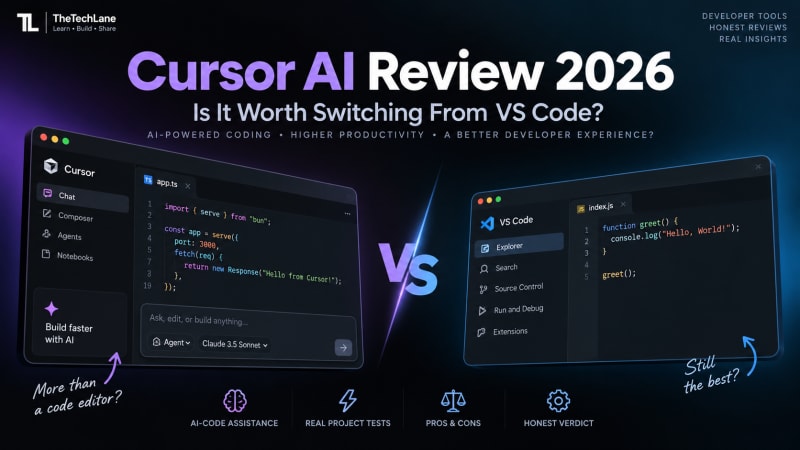
Cursor AI Review 2026: Is It Worth Switching From VS Code?
Cursor has grown from a VS Code-based editor with AI features into a full AI-first development environment. Its Agent mode can inspect a codebase, edit multiple files, run terminal commands, write tests, and fix errors. Cloud Agents can take longer tasks into isolated cloud environments while you work on something else.
But here's the question most VS Code developers actually care about:
Is Cursor good enough to justify leaving VS Code?
For developers who regularly use AI to write, refactor, debug, and understand code, yes, Cursor is worth trying in 2026.
For developers who mainly want a fast, stable editor and already have a workflow built around VS Code and GitHub Copilot, switching isn't automatically better.
The difference isn't really the editor anymore. Cursor and VS Code share a familiar foundation. The bigger difference is how deeply AI is integrated into the development workflow.
Quick Verdict
Overall Rating: 9/10
Cursor is one of the strongest choices for developers who want an AI-first coding environment without giving up the familiarity of VS Code.
Our verdict
Worth switching: AI-heavy developers, indie hackers, students, startup teams, full-stack developers and developers working with large codebases.
Stay with VS Code: Developers who rarely use AI, depend heavily on bleeding-edge VS Code updates, or already have a highly optimized Copilot workflow.
Best reason to switch: Agentic development.
Biggest drawback: Cost and usage-based AI limits can make Cursor more expensive than simply using VS Code with a lightweight AI workflow.
What Is Cursor AI?
Cursor is an AI-powered code editor built from the VS Code codebase.
That distinction matters.
You aren't learning an entirely unfamiliar IDE when you move from VS Code to Cursor. Cursor supports importing VS Code extensions, themes, settings and key bindings, making migration relatively straightforward.
The important difference is what Cursor puts around the editor.
Instead of treating AI as an extension you open when needed, Cursor puts AI into the core coding workflow.
You can ask it to:
Understand an unfamiliar repository
Modify several files
Create features
Refactor code
Fix bugs
Run commands
Write tests
Analyze errors
Work with MCP servers
Start cloud-based coding agents
Cursor's Agent mode is designed specifically for these multi-step tasks.
Cursor vs VS Code: What's Actually Different?
At first glance, they look surprisingly similar.
That's intentional.
Cursor is based on VS Code, and Cursor provides a direct VS Code import workflow for settings and extensions.
It's also worth noting that VS Code itself has caught up significantly.
Current VS Code supports agent workflows that can reason about tasks, edit code, use tools and iterate on results. It also supports MCP and multiple agent providers.
So the old argument that "VS Code has AI autocomplete while Cursor has AI agents" is no longer accurate.
The real comparison is now:
Which AI development workflow do you prefer?
The Feature That Makes Cursor Different: Agent Mode
This is the biggest reason to consider Cursor.
Cursor Agent can search your codebase, modify multiple files, execute terminal commands and fix errors without requiring you to manually guide every step.
Imagine you're working on a Java Spring Boot application.
Instead of asking:
"How do I create a REST controller?"
You can ask:
"Add a REST endpoint for creating users. Use the existing service and repository patterns in this project. Add validation and write tests."
That's a very different workflow.
The agent can inspect the existing project structure, determine which files matter, make changes and run tests.
A typical workflow looks like this
Developer
    ↓
Describe the task
    ↓
Cursor Agent
    ↓
Understand codebase
    ↓
Plan changes
    ↓
Edit multiple files
    ↓
Run commands
    ↓
Run tests
    ↓
Fix errors
    ↓
Review changes
This is where Cursor starts feeling less like an editor and more like a development partner.
How Good Is Cursor at Understanding a Codebase?
This is one of Cursor's strongest areas.
A useful AI coding tool shouldn't only understand the code you've pasted into a chat window.
It needs to understand the project around it.
For example, if your project contains:
my-app/
├── src/
│   ├── components/
│   ├── services/
│   ├── controllers/
│   └── utils/
├── tests/
├── package.json
└── README.md
A useful agent needs to determine:
Which files are relevant?
What conventions does the project use?
Where should new code go?
Which existing functions should be reused?
Which tests need updating?
What commands should be executed?
Cursor's Agent workflow is designed around this kind of repository-level work.
That makes it much more useful than asking an AI chatbot to generate isolated code snippets.
Cursor for Everyday Coding
Not every task requires an AI agent.
Sometimes you just want autocomplete.
Cursor handles that too.
The experience feels familiar if you've used VS Code. You can write code normally, accept suggestions and then bring AI into the workflow when you need it.
That matters because a good AI editor shouldn't force you to talk to AI constantly.
You can still:
Open a file.
Write code.
Use the terminal.
Search the project.
Debug manually.
Use Git.
Install extensions.
Then bring in the agent when the task becomes complicated.
That's the workflow I prefer.
AI should reduce repetitive work, not turn every line of code into a conversation.
Cursor for Refactoring
This is another area where agentic coding becomes useful.
Suppose your project has:
public User getUser(Long id) {
    return repository.findById(id).get();
}
You could ask Cursor:
Refactor getUser so it doesn't throw NoSuchElementException.
Return a proper application exception when the user doesn't exist.
Update the related tests.
A capable agent can identify the implementation, locate related tests, modify the necessary files and run the test suite.
That's much closer to how a developer actually works.
You're describing a change, not asking for a single piece of code.
Cursor for Debugging
Debugging is one of the most practical uses for AI coding tools.
Instead of:
"Why does this code throw an error?"
you can provide the actual task:
Investigate why the login request returns HTTP 500.
Trace the request from the controller to the database.
Fix the root cause and add a regression test.
Cursor can inspect the relevant code and use terminal commands as part of the investigation.
But there's an important warning.
Don't blindly accept the fix.
AI agents can make technically valid changes that are logically wrong for your application.
Always review:
Database changes
Authentication logic
Authorization checks
Payment code
API contracts
Security-sensitive code
Destructive shell commands
The faster AI becomes, the more important code review becomes.
Cursor and MCP
If you've been following AI development, you've probably heard of Model Context Protocol, or MCP.
Cursor supports MCP servers, which allow AI agents to interact with external tools and data sources. Cursor's current plans include MCP support, and Cloud Agents can also use MCP servers.
This opens up interesting workflows.
For example, an agent could potentially work with:
Cursor
   ↓
AI Agent
   ↓
MCP
   ├── Database
   ├── GitHub
   ├── APIs
   ├── Documentation
   └── External Tools
This is where Cursor becomes more than an AI autocomplete tool.
It becomes an interface between the developer and a growing ecosystem of tools.
For TheTechLane readers, this is also where our MCP Explained content fits naturally into the larger AI developer-tool ecosystem.
Cursor Cloud Agents
Cursor's current Cloud Agents are designed for tasks that don't need to happen on your local machine.
A Cloud Agent runs in an isolated cloud environment with the repository, dependencies and other configured resources it needs. It can build features, fix bugs, run tests and open pull requests.
That's a significant step beyond traditional autocomplete.
For example:
You
 ↓
"Fix the failing authentication tests"
 ↓
Cloud Agent
 ↓
Clone repository
 ↓
Inspect code
 ↓
Modify files
 ↓
Run tests
 ↓
Fix failures
 ↓
Open PR
 ↓
You review
You can even start and manage cloud agents from places such as Cursor's web interface, Slack and GitHub.
This is one of the features that makes Cursor particularly interesting for teams and developers managing several tasks at once.
Cursor Cloud Agents Got Faster
Cursor introduced environment builds for Cloud Agents in August 2026.
The idea is simple.
Instead of preparing the development environment from scratch every time, Cursor can prepare a reusable environment in advance. Cursor says this resulted in environments booting 10 times faster internally and 3 times faster time to first token.
That's a useful improvement because agent startup time can become annoying when you're running many tasks.
The important point isn't the marketing number.
It's the direction.
AI coding is moving from instant suggestions toward persistent development environments and autonomous tasks.
Cursor Pricing in 2026
This is where things get more complicated.
Cursor currently has several individual plans:
Hobby is the free option. It's useful if you just want to try Cursor and see how the AI features work.
Start costs ₹649 per month in India. It's aimed at individual developers who want more AI usage without moving to the higher-priced plans.
Pro costs $20 per month. This is the better choice if you use Cursor regularly for coding, debugging, and AI-assisted development.
Pro+ costs $60 per month. It's designed for developers who use AI much more heavily and need higher usage limits.
Ultra costs $200 per month. This is aimed at users with very heavy AI workloads.
For most developers, Hobby is enough to test Cursor, while Start or Pro makes more sense for regular use. The higher plans are mainly for developers who rely on AI agents heavily throughout their workday.
Cursor's India-only Start plan is particularly interesting for Indian developers. It costs ₹649 per month, includes access to Cursor's own model pool and Cloud Agents, and supports UPI payments.
The Pro plan currently costs $20/month, while Pro+ and Ultra cost $60 and $200 respectively.
One thing you need to understand
Cursor's AI usage isn't simply a matter of paying for an editor and getting unlimited access to every model.
Different models have different usage costs, and Cursor separates its Cursor Models pool from the pool used for third-party models.
That means your actual value depends heavily on how much AI work you do.
For occasional autocomplete, $20/month can be difficult to justify.
For someone using agents every day, the calculation looks very different.
Is Cursor Worth ₹649 in India?
For Indian developers, this is one of the most interesting developments in Cursor's current pricing.
Cursor launched the Start plan at ₹649/month in July 2026. Cursor says India is now its third-largest market, with more than 3 million developers in its user base there.
At ₹649, the decision is easier than it was when the main entry point was a dollar-priced subscription.
For a student or developer who wants to explore agentic coding seriously, Start is much easier to justify than jumping directly into Pro.
If you need third-party models and heavier usage, Pro becomes more attractive.
Cursor vs VS Code: Which Is Better?
There isn't one answer.
It depends on what you want from your editor.
Choose Cursor if:
You use AI every day
You frequently refactor existing projects
You work with large repositories
You want agentic coding
You want Cloud Agents
You use MCP
You want AI deeply integrated into your editor
You want to delegate multi-file tasks
Stay with VS Code if:
You rarely use AI
You prefer a lightweight editor
You already have a strong VS Code workflow
You rely heavily on the latest VS Code releases
You already use GitHub Copilot effectively
You don't want another paid subscription
And there's an important point here.
VS Code is not standing still.
Microsoft's editor now has agent mode, MCP support, multiple agent providers and a unified agent experience.
So switching to Cursor isn't about moving from "old VS Code" to "modern AI Cursor."
VS Code itself is now a serious AI development environment.
The Biggest Advantage of Cursor
AI feels like part of the editor
That's the main reason I would switch.
The interface, code editor and AI workflow feel like one product.
You don't have to constantly think:
"Which extension should I use for this?"
Instead, you can describe the task and let the agent work through it.
That's especially valuable when working on unfamiliar codebases.
The Biggest Disadvantage of Cursor
AI usage can become expensive
Heavy agent usage changes the economics.
You might start with a simple subscription and then discover that your preferred models consume usage faster than expected.
Cursor itself explains that model choice affects how quickly included usage is consumed because different models have different API costs.
For professional developers, that's something to monitor.
The second concern is dependency on AI.
If you accept every generated change without understanding it, your productivity might increase while your understanding of the code decreases.
That's a bad trade.
Cursor Security and Permissions
Agentic coding introduces a different security model from traditional autocomplete.
An AI that can edit files is one thing.
An AI that can run commands, access repositories, use MCP tools and operate in cloud environments is another.
Cursor provides Run Modes that control how agents execute tool calls and when they request approval. Its current documentation recommends Auto-review as a useful balance for many users.
For production repositories, I recommend keeping permissions conservative.
Be especially careful with:
.env files
API keys
SSH keys
Production databases
Cloud credentials
Deployment commands
Destructive shell commands
An AI agent should have only the access it actually needs.
One Limitation: Cursor Is Still Tied to the VS Code Ecosystem
Cursor's biggest advantage is also one of its dependencies.
It's based on VS Code, which gives it familiarity and extension compatibility.
But Cursor and VS Code don't necessarily move in lockstep.
Cursor maintains its own versioning and rebasing process. Cursor says it regularly rebases onto VS Code and may use slightly older VS Code versions for stability.
For most developers, this won't matter.
But if you depend on a brand-new VS Code feature or an extension that requires a newer underlying version, it's something worth checking.
Should You Switch From VS Code to Cursor?
Here's my recommendation.
If you are a beginner
Try Cursor.
The free Hobby plan lets you understand the workflow before paying.
Don't let the AI write everything for you, though. Use it to explain code, generate small features and help debug problems.
If you're a student
Cursor is worth testing.
The India Start plan at ₹649/month makes the product considerably more accessible if you decide the AI workflow improves your productivity.
If you're a professional developer
Yes, but evaluate your workflow first.
If you spend hours each week writing boilerplate, debugging repetitive issues, navigating large repositories or implementing similar patterns, Cursor can provide real value.
If you're already happy with VS Code + Copilot
Don't switch just because Cursor is popular.
VS Code now has serious agent capabilities of its own.
Try Cursor on an actual project.
If you consistently finish tasks faster, then switch.
Cursor AI Pros and Cons
Pros
Excellent AI-first development experience
Strong repository-level understanding
Agent mode can perform multi-file tasks
Built-in MCP support
Cloud Agents
Familiar VS Code foundation
Easy VS Code migration
Strong extension ecosystem
Useful for refactoring and debugging
Supports multiple AI models
Cons
Paid plans can become expensive for heavy users
AI usage varies by model
Agent-generated code still needs review
Cursor can lag behind the latest VS Code release
Developers can become overly dependent on AI
Advanced agent permissions require careful configuration
Cursor AI Rating
After looking at Cursor's AI features, agent workflow, codebase handling, and overall developer experience, here's how we'd rate it:
AI Coding: 9.5/10
Cursor provides strong code suggestions and makes everyday AI-assisted coding much easier.
Agent Mode: 9.5/10
One of Cursor's strongest features. It can handle multi-file changes, run commands, and work through larger coding tasks.
Codebase Understanding: 9/10
Cursor does a good job of finding and working with the relevant parts of a project.
Developer Experience: 9/10
The interface feels familiar to VS Code users, so the learning curve is small.
VS Code Migration: 9.5/10
Moving from VS Code is straightforward because Cursor supports importing settings, extensions, themes, and keybindings.
MCP Support: 9/10
MCP support makes it possible to connect Cursor with external tools and data sources.
Cloud Agents: 9/10
Cloud Agents are useful when you want AI to work on coding tasks without keeping everything on your local machine.
Extension Ecosystem: 9/10
Because Cursor is based on VS Code, developers can continue using a large number of familiar extensions.
Pricing: 8/10
The pricing is reasonable for developers who use AI frequently, but heavy usage can make the higher plans expensive.
Overall Rating: 9/10
Final Verdict: Is Cursor Worth Switching From VS Code?
Yes, for the right developer.
Cursor isn't dramatically better than VS Code because the text editor itself is better.
That's not the point.
The difference is the AI workflow surrounding the editor.
Cursor makes it natural to move from:
Write code → ask AI → copy code → paste code → debug
to:
Describe task → agent understands project → changes code → runs tools → tests → fixes → developer reviews
That's a meaningful shift.
But VS Code has evolved too. Its current agent experience, MCP support and ability to work with multiple AI providers mean you don't have to leave VS Code to get serious agentic development.
So here's the simple answer:
If AI is becoming a core part of how you develop software, Cursor is worth switching to. If AI is just an occasional helper, VS Code is probably still the better choice.
For developers in India, the ₹649 Cursor Start plan makes trying that workflow particularly compelling in 2026.
TheTechLane Rating: 9/10
Frequently Asked Questions
Is Cursor better than VS Code?
Cursor is better for developers who want an AI-first coding workflow, particularly agentic coding. VS Code remains an excellent choice for developers who prioritize its broader ecosystem, native release cadence and existing workflows.
Is Cursor based on VS Code?
Yes. Cursor is based on the VS Code codebase and supports importing VS Code settings, extensions, themes and keybindings.
Is Cursor free?
Cursor has a free Hobby plan with limited Agent requests and Tab completions. Paid plans provide substantially more AI usage and features.
How much does Cursor cost in India?
Cursor currently offers an India-only Start plan at ₹649 per month, tax inclusive. Pro costs $20/month, while Pro+ and Ultra cost $60 and $200/month respectively.
Can Cursor replace VS Code?
For many developers, yes. Cursor provides a VS Code-like editing environment with its own AI features. However, developers who depend on specific VS Code features or extensions should test compatibility before switching.
Can Cursor use MCP?
Yes. Cursor supports MCP servers, and its current plans include MCP support. Cloud Agents can also use MCP servers to interact with external tools and data.
Does Cursor support GitHub?
Yes. Cursor supports Git workflows and its Cloud Agents can connect to source-control providers including GitHub.
Is Cursor good for Java development?
Yes. Because Cursor is based on VS Code and supports its extension ecosystem, it can be configured for Java development. For developers deeply invested in IntelliJ IDEA's Java-specific tooling, however, the decision is less obvious.
Is Cursor good for beginners?
Yes, but beginners should use it as a learning assistant rather than an automatic code generator. Ask it to explain code and reasoning instead of blindly accepting every change.
Should I switch from VS Code to Cursor in 2026?
If you regularly use AI for coding and want deeper agentic workflows, Cursor is worth trying. If you already have an efficient VS Code and Copilot setup, compare both on a real project before switching.
Official Resources
For readers who want to verify the current product information, use official sources:
Visual Studio Code AI Features
Key Takeaways
Cursor is a VS Code-based AI-first code editor.
Agent mode is its biggest advantage.
Cursor can understand repositories and modify multiple files.
Cloud Agents extend coding tasks into isolated cloud environments.
MCP support makes Cursor useful beyond ordinary code generation.
VS Code has become a serious competitor with its own agent ecosystem.
Cursor Start costs ₹649/month in India.
Heavy AI usage can make higher Cursor plans expensive.
You should review agent-generated code rather than blindly accepting it.
For AI-heavy developers, Cursor is worth trying in 2026.
TheTechLane Verdict: 9/10
Have a Question?
If you run into any issues while writing or running your first Java program, leave a comment below.
We'll help you troubleshoot the problem with clear explanations and practical solutions so you can continue your Java learning journey with confidence.
Happy Coding! ☕
Follow TheTechLane
Want more Java tutorials, programming tips, and developer resources?
Follow TheTechLane on LinkedIn, X, Instagram, Threads, Facebook, Medium, and Pinterest to stay updated whenever a new tutorial is published.
Learn. Build. Share.
Related reading: Claude Code tutorial, AI coding agents in 2026, and Google Antigravity.