Google Antigravity 2026: Features & How to Use
Google Antigravity is Google's agentic development platform. Learn what Antigravity 2.0 is, how it works, its key features, CLI, Gemini 3.8 Flash support, and how developers can use it.
Introduction
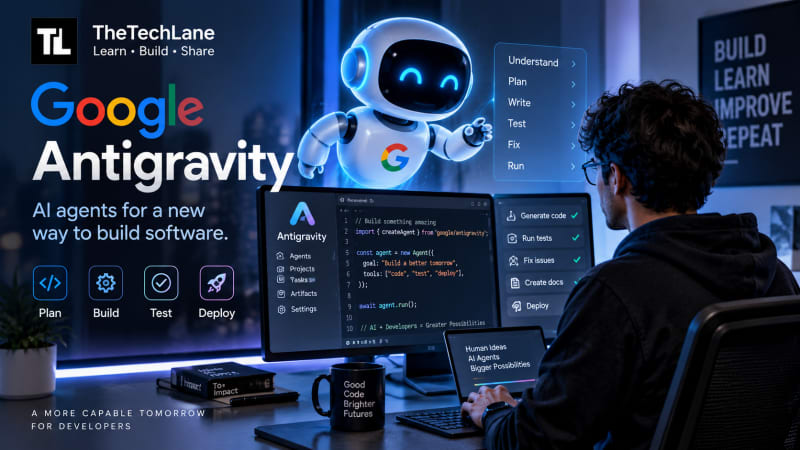
Google Antigravity is an agentic development platform from Google that lets AI agents plan, write, test, and work across software development tasks instead of simply generating code one prompt at a time.
Unlike a traditional AI coding assistant, Antigravity is designed around autonomous agents. You give an agent a task, it can work through multiple steps, produce artifacts, interact with development tools, and report the result back to you.
And Antigravity has moved quickly in 2026.
Google now offers Antigravity 2.0 as a standalone desktop application, an Antigravity CLI for terminal users, and an SDK for programmatic access. The platform has also gained features such as subagents, scheduled tasks, custom agents, browser interaction, and integrations across Google's developer ecosystem.
More recently, Google added Gemini 3.8 Flash to Antigravity, making the topic particularly relevant for developers looking at AI coding tools in September 2026.
Quick Answer
Google Antigravity is Google's agent-first software development platform.
Instead of asking an AI to generate a function and then manually connecting the pieces, you can give Antigravity a larger development task.
For example:
Build a React dashboard that connects to this API, add authentication, write tests, run the application, and fix any errors you find.
An Antigravity agent can break that request into smaller tasks and work through them using the tools available to it.
The important distinction is this:
Traditional AI coding:
You ask → AI generates → You review → You ask again.
Agentic development:
You define the goal → Agent plans → Agent executes multiple steps → Agent verifies → You review the result.
That's the shift Google Antigravity is trying to make.
What Is Google Antigravity?
Google Antigravity is an agentic development platform designed to help developers build software using autonomous AI agents.
Google introduced Antigravity in 2025 as an agentic development environment. The platform has since expanded into a broader ecosystem built around agents rather than a conventional IDE workflow.
The current Antigravity ecosystem includes:
Antigravity 2.0
Antigravity IDE
Antigravity CLI
Antigravity SDK
AI agents
Subagents
Scheduled tasks
Custom agents
Browser-based workflows
Google ecosystem integrations
Antigravity 2.0 is particularly important because it isn't simply another AI-enabled code editor.
Google describes it as a standalone desktop application that acts as a command center for managing multiple agents and running tasks in parallel.
That makes the mental model quite different from a traditional IDE.
Think of it this way
Your IDE is usually where you write the code.
An agentic development platform is increasingly becoming where you manage the work being done by agents.
That's why Antigravity puts so much emphasis on agents, artifacts, projects, tasks, and orchestration.
Why Is Google Antigravity Trending in 2026?
There are several reasons developers are paying attention to Antigravity right now.
First, Google has continued expanding the platform throughout 2026.
At Google I/O 2026, the company introduced Antigravity 2.0, Antigravity CLI, Antigravity SDK, multi-agent workflows, scheduled tasks, subagents, and additional integrations.
Second, Antigravity has continued receiving frequent updates.
Its official changelog shows September 2026 releases including Gemini 3.8 Flash support and improvements such as the /boost command and response quoting.
Third, Google's latest Gemini models are becoming closely connected with the platform.
Google introduced Gemini 3.8 Flash on September 2, 2026, describing it as a model focused on software engineering, agentic tasks, and multi-step reasoning.
That combination gives us an important search trend:
Google Antigravity + Gemini 3.8 Flash + AI coding agents.
How Does Google Antigravity Work?
The easiest way to understand Antigravity is to look at the workflow.
Developer
    |
    v
Task / Goal
    |
    v
AI Agent
    |
    +----> Plan
    |
    +----> Write Code
    |
    +----> Run Commands
    |
    +----> Test
    |
    +----> Inspect Results
    |
    +----> Fix Problems
    |
    v
Artifacts + Final Result
The agent isn't limited to producing text.
It can work with development environments and tools to complete a larger task.
Google describes Antigravity as an agent-first platform with capabilities such as agent-produced artifacts, multi-agent orchestration, asynchronous task management, subagents, and hooks.
Why this matters
Suppose you're building a login system.
A conventional chatbot might generate:
function login(username, password) {
    // authentication logic
}
That's useful, but you're still responsible for:
creating the files
connecting the API
handling errors
writing tests
running the application
debugging failures
checking the UI
An agent can potentially handle a much larger portion of that workflow.
That's where agentic coding becomes interesting.
Google Antigravity 2.0
Antigravity 2.0 is Google's standalone desktop application for agent-based workflows.
According to Google, it is available for Windows, macOS, and Linux and is designed around interacting with and orchestrating agents rather than functioning as a traditional IDE.
The application can act as a central workspace for multiple agents.
For example, imagine you're launching a SaaS application.
You could potentially divide the work into separate tasks:
Agent 1
Frontend development
        |
        v
React application

Agent 2
Backend development
        |
        v
API + database

Agent 3
Testing
        |
        v
Automated tests

Agent 4
Documentation
        |
        v
README + API docs
Instead of making one agent do everything sequentially, you can structure the work around multiple specialized agents.
Google introduced dynamic subagents specifically to support this type of parallelized workflow.
Key Features of Google Antigravity
1. AI Coding Agents
The core of Antigravity is the agent.
You provide a task, and the agent can reason through the steps needed to complete it.
This is different from autocomplete because the agent is working toward a goal rather than simply predicting the next piece of code.
2. Multi-Agent Development
Antigravity can orchestrate multiple agents.
One agent might work on frontend code while another handles a different task.
Google specifically demonstrated multi-agent workflows where different agents can execute tasks in parallel.
This becomes useful for larger projects.
For example:
Project
 |
 +-- Frontend Agent
 |
 +-- Backend Agent
 |
 +-- Testing Agent
 |
 +-- Documentation Agent
The challenge isn't simply getting multiple agents running.
It's making sure they don't step on each other's work.
That's why project organization, version control, worktrees, and clear agent instructions matter.
3. Scheduled Tasks
Antigravity 2.0 includes scheduled tasks.
That means an agent doesn't necessarily have to wait for you to manually start every task.
Google introduced scheduled tasks where agents can be invoked according to predefined schedules.
A practical example could be:
Every morning

1. Pull latest repository changes
2. Run tests
3. Check for failures
4. Generate a report
5. Notify the developer
This starts moving AI coding from an interactive tool toward an automated development workflow.
4. Antigravity CLI
Some developers don't want another graphical application.
They live in the terminal.
That's where Antigravity CLI comes in.
Google describes the CLI as a lightweight, terminal-first surface for working with Antigravity agents.
A terminal workflow might look conceptually like:
antigravity
Then you interact with the agent directly from your development environment.
The CLI is especially interesting for developers who already use:
Git
SSH
tmux
Docker
CI/CD
shell scripts
remote development environments
The terminal remains one of the fastest ways to work when you're comfortable with it.
5. Custom Agents
Not every project needs the same type of AI agent.
A backend engineer might want an agent focused on API development.
A security engineer might want an agent that reviews dependencies and authentication logic.
A frontend developer might want an agent that focuses on accessibility and UI consistency.
Antigravity supports custom agents and skills so developers can extend agent behavior with project-specific instructions. Google has also documented Markdown-based configuration for defining agent instructions and skills.
A simplified example could look like:
Project rules:

- Use TypeScript
- Follow ESLint rules
- Write tests for new functionality
- Do not modify production secrets
- Use existing API patterns
- Run tests before completing the task
This kind of context is important.
Without project-specific rules, an AI agent may produce technically valid code that doesn't fit the rest of your application.
6. Browser and Web Development
Antigravity isn't restricted to source files.
Google has highlighted browser-in-the-loop capabilities for frontend development. Its current product site describes workflows where agents can automate repetitive UX development tasks.
That opens up a different type of workflow.
Instead of:
Write HTML
      ↓
Run browser
      ↓
Look at page
      ↓
Find problem
      ↓
Modify CSS
An agent can potentially participate in more of the loop:
Write
  ↓
Run
  ↓
Inspect
  ↓
Identify issue
  ↓
Modify
  ↓
Verify
For frontend developers, this could be one of the most useful parts of agentic development.
7. Artifacts
One of the interesting ideas behind Antigravity is that agents don't only return chat responses.
They can produce artifacts.
An artifact could be:
source code
documentation
test results
reports
generated files
other project outputs
Google's Antigravity documentation and product material place significant emphasis on agent-produced artifacts as part of the development workflow.
This is important because software development isn't just conversation.
At the end of the day, developers need working files.
Gemini 3.8 Flash in Google Antigravity
This is one of the most important current updates.
Google introduced Gemini 3.8 Flash in September 2026 and positioned it as a model designed for software engineering, agentic workflows, and complex reasoning.
Google's Antigravity site lists Gemini 3.8 Flash as a recent platform update, and the changelog shows support arriving in early September.
This matters because an agentic coding platform depends heavily on its underlying model.
Think about the stack like this:
                 Google Antigravity
                         |
              Agent orchestration
                         |
          +--------------+--------------+
          |              |              |
       Planning       Tools          Context
          |              |              |
          +--------------+--------------+
                         |
                   Gemini Models
                         |
                  Code + Reasoning
The model provides intelligence.
The agent harness provides the workflow.
The tools provide access to the development environment.
That's the combination that makes an agent useful.
Google Antigravity vs GitHub Copilot
These tools overlap, but they're not identical.
GitHub Copilot is deeply integrated into the GitHub ecosystem and developer workflows.
Antigravity is positioned more explicitly around agent orchestration and autonomous development workflows.
The important thing isn't choosing a winner based on a feature checklist.
Your existing workflow matters more.
If your entire development process revolves around GitHub, issues, pull requests, Actions, and Copilot, staying in that ecosystem can be a major advantage.
If you're specifically interested in Google's agent-first tooling, Antigravity is worth testing.
Google Antigravity vs Cursor
Cursor has become one of the most recognizable AI-first development environments.
Cursor focuses heavily on an AI-powered coding environment.
Antigravity is pushing further toward agent orchestration.
A simple mental model is:
Cursor
AI-first code editor

Google Antigravity
Agent-first development platform
That distinction isn't absolute. Both products are increasingly adding agentic capabilities.
But the product philosophy is different enough to matter.
For developers who want an AI-native editor, Cursor remains an obvious option.
For developers interested in Google's broader agent ecosystem, Antigravity deserves a look.
How to Get Started With Google Antigravity
Google provides a dedicated getting-started codelab for Antigravity. It explains the platform, Antigravity 2.0, the IDE, and the basic workflow.
Step 1: Open Google Antigravity
Go to the official Antigravity website and choose the appropriate download option.
The current platform provides downloads for major desktop operating systems.
Step 2: Install the application
Install Antigravity like a normal desktop application.
Once installed, sign in with your supported Google account.
Step 3: Create or open a project
Open an existing project or create a new development workspace.
For an existing application, make sure your repository is clean before giving an agent permission to make substantial changes.
That's a habit worth keeping with every coding agent.
Step 4: Give the agent a specific task
Don't start with:
Make my application better.
That's too vague.
Try:
Review the authentication module.

Find potential security and error-handling problems.
Do not modify files yet.

Return:
1. Problems found
2. Severity
3. Recommended fixes
4. Files that would need changes
This gives you an opportunity to inspect the agent's plan before letting it modify the code.
Step 5: Let the agent execute
Once you're comfortable with the plan, ask it to implement the changes.
For example:
Implement the fixes you identified.

Requirements:
- Do not change the public API.
- Add tests for each fixed issue.
- Run the existing test suite.
- Report any failures.
That's much safer than simply saying:
Fix everything.
A Better Way to Use AI Coding Agents
Here's the workflow I'd recommend.
1. Define the goal
        ↓
2. Ask the agent to inspect
        ↓
3. Review the plan
        ↓
4. Approve implementation
        ↓
5. Agent changes code
        ↓
6. Run tests
        ↓
7. Review the diff
        ↓
8. Test manually
        ↓
9. Merge
The mistake I see often with AI coding tools is giving the agent too much freedom too early.
An agent can move quickly.
That's exactly why you need boundaries.
Example: Build a Small REST API With an Agent
Suppose you want to create a Node.js API.
Instead of asking:
Build an API.
give the agent a structured specification:
Create a Node.js REST API using TypeScript.

Requirements:
- Use Express
- Add /health endpoint
- Add /users endpoint
- Validate request bodies
- Add centralized error handling
- Add unit tests
- Use environment variables
- Add README instructions
- Run the test suite before finishing

Do not add unnecessary dependencies.
This gives the agent:
technology choices
architecture constraints
functional requirements
testing requirements
documentation requirements
The better your specification, the better the resulting implementation is likely to be.
Common Mistakes When Using Google Antigravity
1. Giving vague instructions
Bad:
Make this project production ready.
Better:
Review the authentication module for security issues.

Focus on:
- session management
- authorization
- input validation
- secrets
- error handling

Don't modify files yet.
2. Trusting generated code blindly
AI-generated code can compile and still be wrong.
It can contain:
security problems
incorrect assumptions
unnecessary dependencies
poor error handling
inefficient database queries
broken edge cases
Always review important changes.
3. Giving agents access to secrets
Don't casually expose:
API_KEY=...
DATABASE_PASSWORD=...
AWS_SECRET=...
AI agents can interact with tools and project files.
Treat agent permissions like you would treat permissions for another developer.
4. Skipping tests
If an agent changes 20 files and you don't run tests, you don't know whether the application still works.
The agent should be asked to verify its work.
But you should verify it too.
5. Making huge changes in one request
Instead of:
Rewrite the entire application.
break the work into stages.
Phase 1
Analyze architecture

Phase 2
Propose migration

Phase 3
Update backend

Phase 4
Update frontend

Phase 5
Run tests

Phase 6
Review changes
This gives you checkpoints.
Is Google Antigravity Free?
Google's current Antigravity website lists the developer offering as available at no charge, while Google also offers paid plans and enterprise options. Availability, quotas, models, and limits can change as the platform evolves.
If you're evaluating Antigravity, check Google's current pricing and account limits before starting a large workload.
Who Should Use Google Antigravity?
Antigravity is particularly interesting for:
Students
Students can use agentic tools to understand how real applications are structured while experimenting with projects.
But don't let the agent do all the learning for you.
Ask it to explain its decisions.
Web Developers
Frontend and full-stack developers can benefit from agents that work across source code, browser workflows, testing, and project files.
Backend Developers
Agents can help with APIs, tests, database code, refactoring, and documentation.
DevOps Engineers
The terminal-oriented workflow can be useful when working with scripts, configuration, infrastructure, and automation.
AI Developers
If you're building agentic applications yourself, Antigravity is particularly interesting because Google's ecosystem is moving toward agents, tools, skills, and orchestration.
Who Should Avoid It?
Antigravity isn't automatically better than a normal IDE.
You may not need it if:
you're learning basic programming
you're still learning Git
you don't understand the code being generated
your project is extremely sensitive
you require strict control over every modification
your existing IDE already solves your workflow
For beginners, an agent that writes an entire application can actually make learning harder.
If you don't understand what the agent changed, you don't really own the code.
Advantages of Google Antigravity
Agent-first workflow
The platform is designed around agents rather than treating AI as an autocomplete feature.
Multi-agent capabilities
Complex tasks can be divided among agents.
Google ecosystem
Antigravity connects with Google's broader developer ecosystem, including Android, Firebase, and Google AI tooling.
CLI support
Developers who prefer terminals don't have to stay inside a graphical interface.
Rapid development
Agents can handle repetitive implementation and verification tasks quickly.
Customization
Developers can provide project-specific instructions, skills, and custom agents.
Limitations and Risks
Agentic development also introduces new problems.
Incorrect changes
An agent can modify more code than you expected.
Security risks
Giving an agent access to repositories, terminals, browsers, or credentials increases the potential impact of mistakes.
Cost and quotas
Agentic workflows can consume more model usage because a single task may involve many model calls.
Debugging complexity
When multiple agents interact, understanding why something failed can become harder.
Overconfidence
The biggest risk isn't that an AI agent writes bad code.
It's that a developer assumes the code is correct because the agent says it is.
What Does Google Antigravity Mean for Developers?
The bigger story isn't another AI coding tool.
It's the shift from code generation to task execution.
Traditional software development has looked roughly like this:
Idea
 ↓
Developer
 ↓
Code
 ↓
Tests
 ↓
Deployment
Agentic development is moving toward:
Idea
 ↓
Developer
 ↓
Agent
 ↓
Plan
 ↓
Code
 ↓
Tests
 ↓
Verification
 ↓
Developer approval
 ↓
Deployment
The developer doesn't disappear.
The developer becomes the person responsible for directing and verifying the system.
That's a meaningful change.
What Skills Should Developers Learn Now?
If AI agents are handling more implementation work, developers need stronger fundamentals.
Focus on:
System design
Debugging
Git
Testing
Security
APIs
Databases
Cloud infrastructure
Code review
Writing clear technical specifications
Prompting is useful.
But knowing what to ask an agent to build is only half the job.
Knowing whether the result is actually correct is the other half.
Google Antigravity Architecture
A simplified view of the platform looks like this:
                 Developer
                     |
                     v
              Antigravity UI
                     |
          +----------+----------+
          |                     |
       Agents                Projects
          |                     |
          v                     v
     Agent Harness         Workspaces
          |
    +-----+-----+
    |     |     |
  Tools  Skills Subagents
    |     |     |
    +-----+-----+
          |
          v
     Gemini Models
          |
          v
   Code / Tests / Artifacts
This is a conceptual model, not Google's internal implementation diagram.
The key idea is that the model isn't the entire product.
The agent harness, tools, context, permissions, project state, and verification workflow all matter.
Best Practices for Google Antigravity
If you're going to use Antigravity seriously, I'd follow these rules.
Start with read-only analysis
Before asking an agent to modify a large codebase, ask it to inspect the project.
Keep Git involved
Commit before major agent tasks.
That gives you a clean rollback point.
Give agents narrow objectives
Specific tasks are easier to verify.
Require tests
Don't consider the task complete until tests have run.
Review diffs
Never merge large AI-generated changes without reviewing what actually changed.
Separate planning from execution
For complicated tasks, ask the agent to create a plan first.
Protect secrets
Don't give agents unnecessary access to credentials.
Keep humans in the loop
Use agents to accelerate engineering, not to remove engineering judgment.
Google Antigravity FAQ
What is Google Antigravity?
Google Antigravity is an agentic development platform designed to help developers use AI agents to plan and execute software development tasks.
Is Google Antigravity an IDE?
Antigravity is broader than a traditional IDE. Google now offers Antigravity 2.0 as a standalone desktop application, alongside the Antigravity IDE and CLI.
Is Google Antigravity free?
Google currently lists its developer offering as available at no charge, although usage limits, models, quotas, and paid options apply depending on the account and product.
Does Google Antigravity use Gemini?
Yes. Antigravity uses Google's Gemini models as the intelligence layer for its agents. Gemini 3.8 Flash is among the current model updates associated with the platform.
What is Antigravity 2.0?
Antigravity 2.0 is Google's standalone desktop application designed to act as a central workspace for managing and orchestrating agents.
Does Google Antigravity have a CLI?
Yes. Google provides Antigravity CLI for terminal-first agent workflows.
Can Google Antigravity build applications?
Yes. Google positions Antigravity as a platform for building production-ready applications using agentic workflows.
Is Google Antigravity better than Cursor?
Not universally. Cursor and Antigravity have different strengths and workflows. Cursor is an AI-first code editor, while Antigravity emphasizes an agent-first development platform and multi-agent orchestration.
Is Google Antigravity better than GitHub Copilot?
It depends on your workflow. Developers heavily invested in GitHub may prefer Copilot, while developers interested in Google's agent-first ecosystem may prefer Antigravity.
Will AI agents replace developers?
AI agents can automate increasingly large parts of software development, but developers still need to make architectural decisions, verify output, handle security, understand requirements, and take responsibility for production systems.
Final Thoughts
Google Antigravity is worth watching because it represents a broader change in how software may be built.
The interesting part isn't simply that Google can generate code.
We've had AI code generation for years.
The bigger change is giving an AI agent a goal and allowing it to work through the development process.
Antigravity 2.0, the CLI, custom agents, subagents, scheduled tasks, browser workflows, and the latest Gemini models all point in the same direction: software development is moving from AI-assisted coding toward agent-assisted engineering.
But there's an important catch.
Don't treat the agent as the developer.
Treat it as a very fast engineering teammate that needs clear instructions, boundaries, testing, and review.
That's where developers who understand both software engineering fundamentals and AI agents will have the advantage.
Key Takeaways
Google Antigravity is an agentic development platform.
Antigravity 2.0 is a standalone desktop application for managing agents.
Antigravity also provides a terminal-first CLI.
Multiple agents can work on different tasks.
Custom agents and skills can adapt workflows to specific projects.
Scheduled tasks can automate recurring development work.
Gemini models provide the underlying intelligence.
Gemini 3.8 Flash is now part of the latest Antigravity ecosystem.
AI agents can accelerate development, but developers still need to review and verify the results.
The bigger trend is the move from AI code generation to agentic software development.
Related Developer Tools
If you're exploring AI-assisted development, these are worth comparing:
Google Antigravity
Cursor
GitHub Copilot
Claude Code
OpenAI Codex
Gemini CLI
Model Context Protocol tools
Have a Question?
If you run into any issues while writing or running your first Java program, leave a comment below.
We'll help you troubleshoot the problem with clear explanations and practical solutions so you can continue your Java learning journey with confidence.
Happy Coding! ☕
Follow TheTechLane
Want more Java tutorials, programming tips, and developer resources?
Follow TheTechLane on LinkedIn, X, Instagram, Threads, Facebook, Medium, and Pinterest to stay updated whenever a new tutorial is published.
Learn. Build. Share.
Related reading: Cursor AI review, Claude Code tutorial, and AI coding agents in 2026.