What Is OOP? Object-Oriented Programming Explained
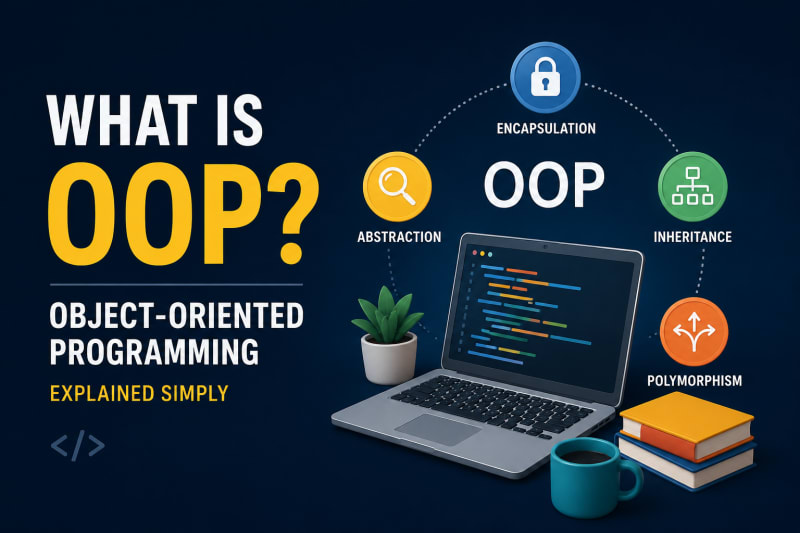
Object-Oriented Programming (OOP) is a programming approach where software is designed around objects rather than just functions and logic.
Introduction
Object-Oriented Programming (OOP) is a programming approach where software is designed around objects rather than just functions and logic.
An object represents something with data and behavior.
For example, a Car object can have data such as color and speed, and behavior such as start() and brake().
OOP makes large programs easier to organize, reuse, maintain, and extend.
Java, C++, C#, Python, and many other popular programming languages support object-oriented programming.
Quick Answer
Object-Oriented Programming (OOP) is a programming paradigm that organizes code using classes and objects.
The four fundamental concepts of OOP are:
Encapsulation
Inheritance
Polymorphism
Abstraction
These concepts help developers build software that is modular, reusable, and easier to maintain.
What Is an Object?
An object is an instance of a class.
Think of a class as a blueprint and an object as the actual thing created from that blueprint.
For example:
class Car {
    String color;

    void drive() {
        System.out.println("Car is driving");
    }
}
We can create an object from the Car class:
Car car = new Car();

car.color = "Red";
car.drive();
Here:
Car→ classcar→ objectcolor→ data/statedrive()→ behavior
What Is a Class?
A class is a blueprint used to create objects.
It defines what data an object can contain and what actions it can perform.
class Student {
    String name;
    int age;

    void study() {
        System.out.println(name + " is studying");
    }
}
Creating an object:
Student student = new Student();

student.name = "Rahul";
student.age = 21;

student.study();
One class can be used to create multiple objects.
Student s1 = new Student();
Student s2 = new Student();
Student s3 = new Student();
Each object can have its own data.
Four Pillars of OOP
The four main principles of OOP are encapsulation, inheritance, polymorphism, and abstraction.
1. Encapsulation
Encapsulation means keeping data and the methods that operate on that data together inside a class.
It also helps control direct access to an object's data.
class BankAccount {

    private double balance;

    public void deposit(double amount) {
        if (amount > 0) {
            balance += amount;
        }
    }

    public double getBalance() {
        return balance;
    }
}
The balance variable is private, so it can't be changed directly from outside the class.
Instead, users interact with it through methods such as deposit() and getBalance().
Why it matters
Encapsulation helps with:
Data protection
Controlled access
Maintainability
Reducing accidental changes
2. Inheritance
Inheritance allows one class to acquire properties and methods from another class.
class Animal {

    void eat() {
        System.out.println("Animal is eating");
    }
}

class Dog extends Animal {

    void bark() {
        System.out.println("Dog is barking");
    }
}
Now Dog can use the method defined in Animal.
Dog dog = new Dog();

dog.eat();
dog.bark();
Here, Dog is the child class and Animal is the parent class.
Why use inheritance?
Inheritance can help:
Reuse existing code
Reduce duplication
Create relationships between classes
However, inheritance shouldn't be used just to avoid writing a few lines of code. In production systems, composition is often a better choice when the relationship isn't truly "is-a."
3. Polymorphism
Polymorphism means "many forms."
It allows the same method or interface to behave differently depending on the object involved.
A common example is method overriding.
class Animal {

    void sound() {
        System.out.println("Animal makes a sound");
    }
}

class Dog extends Animal {

    @Override
    void sound() {
        System.out.println("Dog barks");
    }
}

class Cat extends Animal {

    @Override
    void sound() {
        System.out.println("Cat meows");
    }
}
Now:
Animal animal1 = new Dog();
Animal animal2 = new Cat();

animal1.sound();
animal2.sound();
Output:
Dog barks
Cat meows
The reference type is Animal, but the actual behavior depends on the object.
That's runtime polymorphism.
4. Abstraction
Abstraction means hiding unnecessary implementation details and exposing only what the user needs.
For example, when you use an ATM, you don't need to know how the bank's internal transaction system works.
You simply interact with operations such as:
Withdraw
Deposit
Check Balance
Java supports abstraction through abstract classes and interfaces.
Using an interface
interface Payment {

    void pay(double amount);
}
Different payment methods can implement it:
class UPI implements Payment {

    @Override
    public void pay(double amount) {
        System.out.println("Paid using UPI");
    }
}
Another implementation:
class CreditCard implements Payment {

    @Override
    public void pay(double amount) {
        System.out.println("Paid using Credit Card");
    }
}
The application only needs to know that a Payment can perform pay().
It doesn't need to know the internal implementation.
OOP in a Real-World Example
Consider an e-commerce application.
You might have classes such as:
User
Product
Cart
Order
Payment
Shipping
A Product could contain:
class Product {

    String name;
    double price;

    void displayProduct() {
        System.out.println(name + " - ₹" + price);
    }
}
An Order could contain products and provide operations such as:
class Order {

    void placeOrder() {
        System.out.println("Order placed");
    }

    void cancelOrder() {
        System.out.println("Order cancelled");
    }
}
Instead of putting the entire application into one large file, OOP allows developers to divide the system into meaningful components.
That's one of the biggest reasons OOP is useful in large applications.
Why Is OOP Important?
OOP becomes especially useful when applications grow.
It provides several advantages:
Reusability → Existing classes can be reused.
Maintainability → Code is easier to modify.
Encapsulation → Data access can be controlled.
Abstraction → Complex implementation details can be hidden.
Extensibility → New functionality can be added more easily.
Modularity → Applications can be divided into logical components.
For example, instead of rewriting payment logic for every payment method, you can define a common Payment interface and create different implementations.
OOP vs Procedural Programming
The main difference is how the program is organized.
Procedural Programming
Focuses on functions.
Data and functions are often separate.
Reuse mainly happens through functions.
Can become harder to manage as systems grow.
Object-Oriented Programming
Focuses on objects.
Data and behavior are grouped together.
Reuse can happen through classes, inheritance, and composition.
Helps organize larger and more complex systems.
This doesn't mean OOP is always better.
For small scripts, procedural code can be simpler and more appropriate.
The right approach depends on the problem you're solving.
OOP in Java
Java is strongly associated with OOP because most application logic is organized using classes and objects.
For example:
class Employee {

    private String name;
    private double salary;

    public Employee(String name, double salary) {
        this.name = name;
        this.salary = salary;
    }

    public void display() {
        System.out.println(name + " earns ₹" + salary);
    }
}
Creating an object:
public class Main {

    public static void main(String[] args) {

        Employee employee =
            new Employee("Amit", 50000);

        employee.display();
    }
}
Here, the Employee class contains both data and behavior.
That's the core idea behind OOP.
Common OOP Terms
Before learning OOP deeply, it's worth knowing these terms:
Class → Blueprint for objects
Object → Instance of a class
Method → Behavior defined inside a class
Field → Data stored in an object
Constructor → Initializes an object
Encapsulation → Controls access to data
Inheritance → Allows classes to inherit functionality
Polymorphism → Same interface, different behavior
Abstraction → Hides implementation details
Interface → Defines a contract that classes can implement
Common Mistakes Beginners Make
1. Thinking OOP means creating classes for everything
Not every small piece of logic needs its own class.
Good design is about creating useful boundaries, not maximizing the number of classes.
2. Overusing inheritance
Inheritance creates a strong relationship between classes.
If the relationship isn't genuinely "is-a," composition may be a better solution.
3. Ignoring encapsulation
Making every field public defeats much of the purpose of encapsulation.
Prefer controlled access through methods when appropriate.
4. Memorizing the four pillars without understanding them
Knowing the definitions isn't enough.
You should be able to recognize when encapsulation, abstraction, inheritance, or polymorphism actually solves a problem.
OOP Interview Questions
If you're preparing for Java or software development interviews, these are common questions:
1. What is OOP?
OOP is a programming paradigm that organizes code around objects containing data and behavior.
2. What are the four pillars of OOP?
Encapsulation, Inheritance, Polymorphism, and Abstraction.
3. What is the difference between a class and an object?
A class is a blueprint, while an object is an instance of that class.
4. What is encapsulation?
Encapsulation is bundling data and methods together while controlling access to the data.
5. What is inheritance?
Inheritance allows one class to acquire properties and methods from another class.
6. What is polymorphism?
Polymorphism allows the same interface or method to have different implementations.
7. What is abstraction?
Abstraction hides implementation details and exposes only the necessary functionality.
8. What is method overloading?
Method overloading means having multiple methods with the same name but different parameters.
9. What is method overriding?
Method overriding occurs when a child class provides its own implementation of a parent class method.
10. What is the difference between an interface and an abstract class?
An interface mainly defines a contract, while an abstract class can provide both abstract and concrete behavior.
11. Why is composition often preferred over inheritance?
Composition creates more flexible relationships and reduces tight coupling between classes.
12. Can Java support multiple inheritance?
Java doesn't support multiple inheritance through classes, but a class can implement multiple interfaces.
Understanding the concepts is more important than memorizing definitions.
Key Takeaways
OOP organizes software around objects.
A class is a blueprint, while an object is an instance of that class.
OOP combines data and behavior into logical units.
The four pillars are encapsulation, inheritance, polymorphism, and abstraction.
OOP helps make large applications easier to maintain and extend.
Java heavily uses OOP concepts.
Good OOP design isn't about creating more classes; it's about creating useful relationships and clear responsibilities.
Previous Lesson
If you're following the Java learning series, the previous topics covered the fundamentals of Java and how Java programs are compiled and executed.
You can start with What is Java ?
What's Next?
The next step is to understand the individual OOP concepts in detail, starting with Classes and Objects in Java.
Continue Learning
Build small programs while learning OOP. A simple Student Management System, Bank Account, or Library Management System is enough to practice classes, objects, constructors, encapsulation, inheritance, and polymorphism.
Have a Question?
If you run into any issues while writing or running your first Java program, leave a comment below.
We'll help you troubleshoot the problem with clear explanations and practical solutions so you can continue your Java learning journey with confidence.
Happy Coding! ☕
Follow TheTechLane
Want more Java tutorials, programming tips, and developer resources?
Follow TheTechLane on LinkedIn, X, Instagram, Threads, Facebook, Medium, and Pinterest to stay updated whenever a new tutorial is published.
Learn. Build. Share.
— TheTechLane